
Approvals
What the workbench will not do without you, how a request is scored for risk, and how to let it or refuse it.
Reading needs no permission; changing something you already have does. When a workflow wants to change something, such as replacing the summary on a document, it stops and asks. The request waits under Approvals, and the start page lists it under Needs your attention.
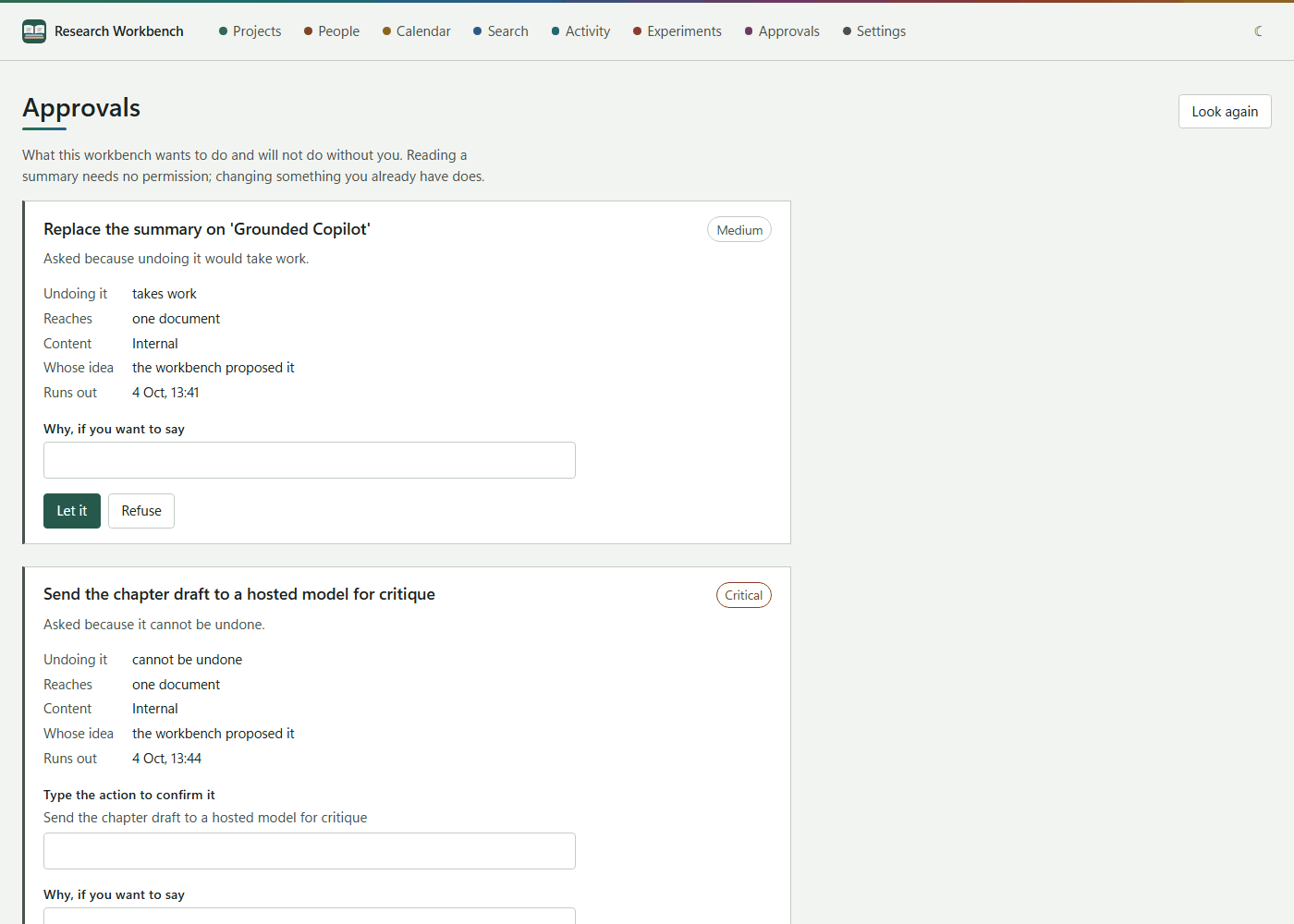
Reading a request
Each request shows the action, its risk (Low, Medium, High or Critical) and why it was asked. It then sets out:
- Undoing it: how hard it would be to undo.
- Reaches: how much it touches.
- Content: how sensitive the content is.
- Whose idea: whether you asked for it or the workbench proposed it.
- Runs out: requests expire after 24 hours. One left undecided counts as refused. A warning shows when less than an hour is left.
- Read the run that proposed it.
Deciding
- Optionally write Why, if you want to say.
- Let it carries the change out; Refuse leaves everything as it was.
- A Critical request asks you to type the action exactly before it will let you.
Either way the waiting run resumes or ends, and your decision is recorded with it.
Some experiments deliberately break a few answers, to measure whether people notice. A request that is part of one says so: judge it against the document, not by how convincing it reads.