
Welcome to Research Workbench
What the workbench is, what it is for, and how this guide is organised.
Research Workbench is one place to keep a research project: the papers you read, your notes on them, the references you cite, the chapters you write, and the deadlines you have to meet. It also uses AI models, and keeps a record of every question it puts to them.
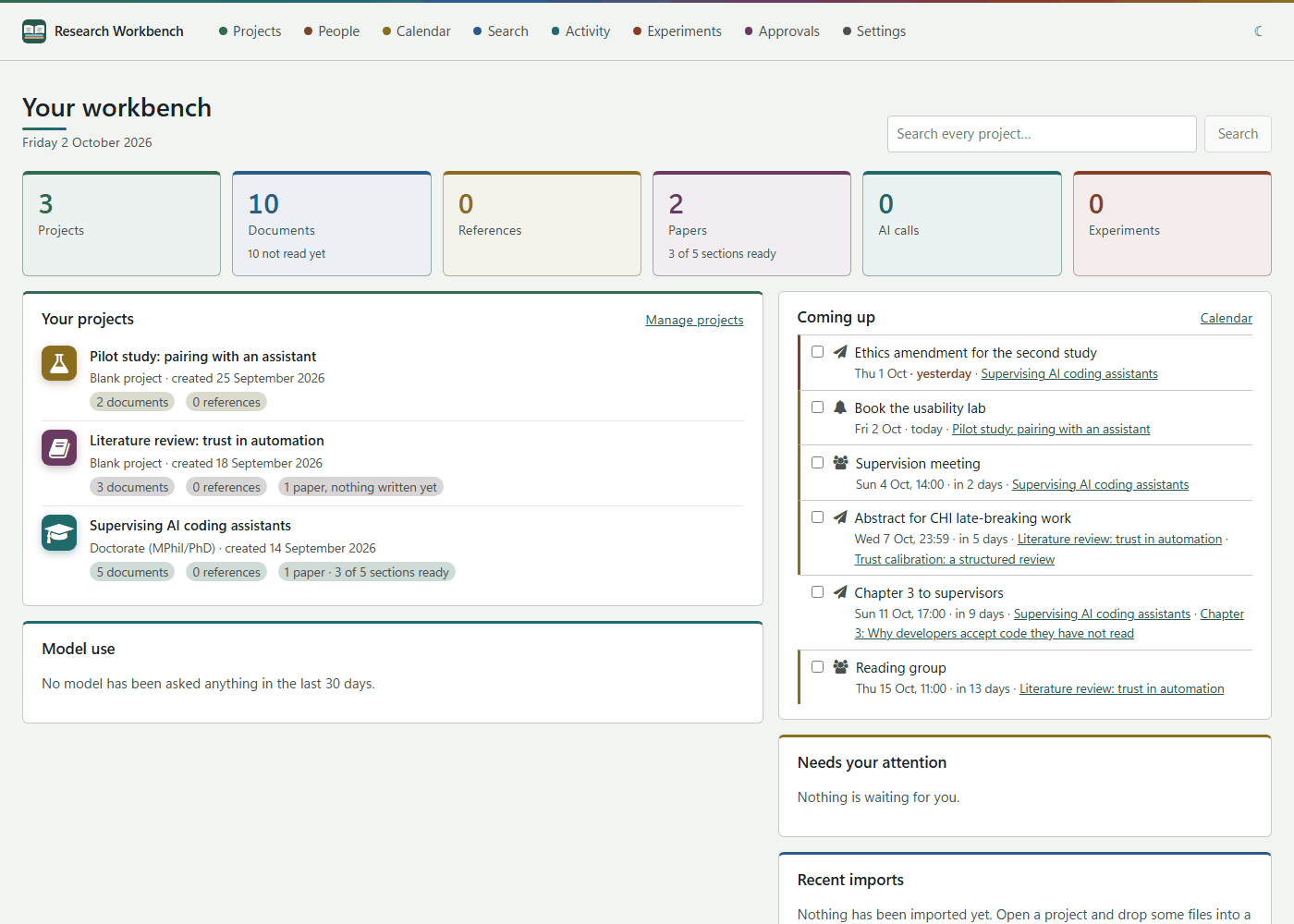
It comes in three parts that work together:
| Part | What it is | Where it runs |
|---|---|---|
| The desktop workbench | The full workbench, for Windows, macOS and Linux. It needs no account and works offline. | On your computer, in a window of its own |
| The cloud workbench | The same workbench in your browser, signed in with your website account. Open by invitation while it is tested. | At app.researchworkbench.space |
| The browser extension | A button in Edge, Chrome or Firefox (and Safari on a Mac) that saves the paper you are reading into a project. | In your browser, saving into the desktop workbench |
What you can do with it
- Keep every source in one place. You can add PDFs, Word files, web pages, links, notes, whole folders, Zotero collections and GitHub repositories. The workbench reads their text in the background, so you can find them by what they say.
- Read and annotate. Each document gets a clean working copy in Markdown. You can highlight passages in four colours, write notes beside them, and later quote those notes in a paper with the page number.
- Search by words and by meaning. Ask a question, and the workbench answers it only from your own papers, citing the passages it used.
- Write papers a section at a time, with citations in APA, Harvard, IEEE or Chicago. You can seal versions, compare them, send them for review, and check each claim against the source it cites.
- Plan. Deadlines, a calendar, reminders, and an address book of the people you work with.
- See every AI call. Each question put to a model is written down before it is asked, and kept unchanged. You can always see what was asked, what came back, what it cost, and which model answered.
Your data stays yours
The desktop workbench keeps everything in a vault, a folder in your Documents called Research Workbench. It is served only to your own computer, and nothing outside it can reach it. AI can run entirely on your computer through Ollama. Hosted models (Anthropic, OpenAI, Google Gemini) are used only if you give the workbench your own key. Folders that hold personal or special-category data are kept from hosted models unless you allow it, and you have to give a reason.
How this guide is organised
- Getting started: installing, the first start, and the start page.
- Projects and reading: projects, folders, adding material, reading, references, Zotero and repositories.
- Search and AI: searching, answers from your papers, models and keys, and summaries.
- Evidence and experiments: the record of every AI call, experiments, runs, approvals and writing code.
- Writing papers: sections, citations, versions, review, claim checks and paper settings.
- Planning and people: deadlines, the calendar, reminders, and the address book.
- Settings: every tab of the Settings page, plus updates and starting afresh.
- Cloud and sync: the cloud workbench, and keeping a computer in step with it.
- Browser extension: saving pages and PDFs from Edge, Chrome, Firefox and Safari.
- Help: troubleshooting and common questions.
The workbench is a preview that is still being built. Keep your own copies of anything you put into it.