
Reminders
The reminders strip, notifications on your computer, and reminder e-mails from the cloud.
Give a deadline Remind me, days before, for example 14. From that day until the deadline has passed, it is listed in the Reminders strip at the top of every page. A deadline with no reminder days appears only on its own day.
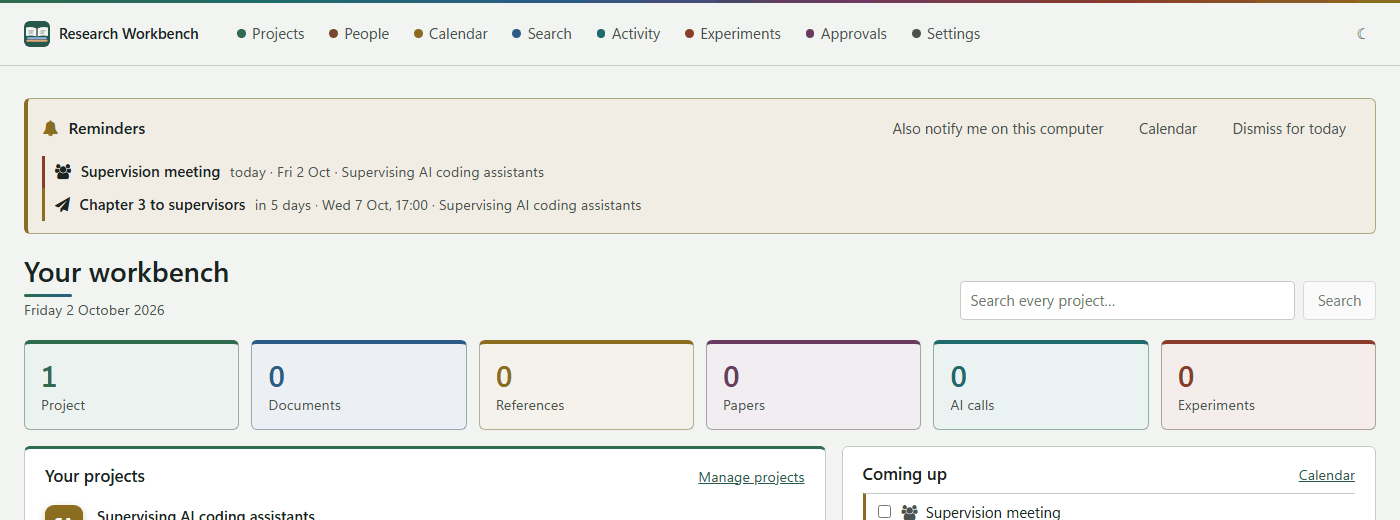
- Calendar opens the calendar.
- Dismiss for today hides the strip; it comes back tomorrow.
- Also notify me on this computer asks your permission to show system notifications. Once you allow it, each reminder is announced once a day, and clicking the notification opens the calendar.
When the workbench is closed
The desktop workbench cannot remind you while it is closed. There are two ways round that:
- Put the calendar in Outlook or on your phone. Download Open in Outlook (.ics) from the calendar. Its alarms follow your reminder days.
- Reminder e-mails from the cloud. If you use the cloud workbench, go to Your account → Reminder emails, tick Email me my deadline reminders, and Save. You then get one e-mail on any morning when something is due, around 7:00 in your time zone. It covers every project, including those synced from your computer. Nothing is sent on a day with nothing due, and each e-mail has a link to stop them, which works without signing in.