
Models and keys
Running models on your computer with Ollama, using hosted models with your own key, choosing a model per job, and recording prices.
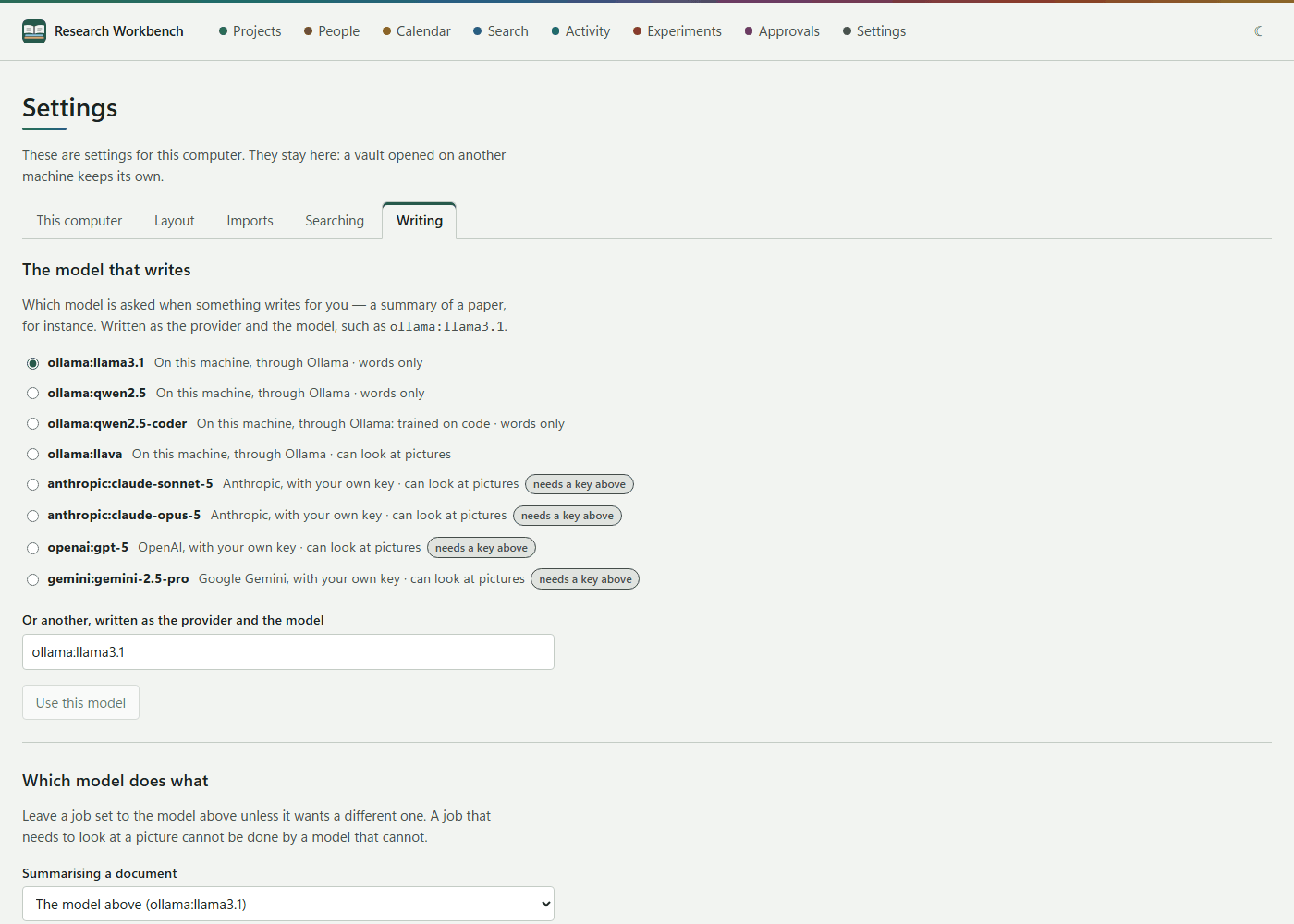
The workbench can use models on your computer, through Ollama, or hosted models from Anthropic, OpenAI and Google Gemini, with your own key. Which model is used for what is a setting, under Settings → Writing.
Models on your computer (Ollama)
- Install Ollama from ollama.com.
- Pull the models you want, in Terminal or PowerShell, for example:
ollama pull llama3.1: a general model for summaries, answers and claim checks.ollama pull nomic-embed-text: for searching by meaning.ollama pull llava: a model that can look at pictures, for redrawing figures.ollama pull qwen2.5-coder: trained on code.
- The workbench finds Ollama at
127.0.0.1:11434(orOLLAMA_HOST). If it is not running, the workbench says so and tells you how to start it.
Local models cost nothing, and nothing leaves your computer. On a laptop without a graphics card they are slow: a summary can take minutes. The workbench gives a model up to 10 minutes to answer. It also sizes the model's context to fit each request; if a request is more than the model can take in at once, nothing is sent, and the message says so.
The model that writes
Choose one from the list. Each model is marked On this machine, through Ollama or with your own key, and can look at pictures or words only. The list includes ollama:llama3.1, ollama:qwen2.5, ollama:qwen2.5-coder, ollama:llava, anthropic:claude-sonnet-5, anthropic:claude-opus-5, openai:gpt-5 and gemini:gemini-2.5-pro. To use another model, type it as provider and model under Or another, for example ollama:mistral. Then press Use this model.
Which model does what
You can give each job its own model:
- Summarising a document
- Answering from your own papers
- Checking claims against their sources
- Redrawing a figure as a diagram: this needs a model that can see.
- Writing code
Each is set to The model above unless you choose otherwise. Only models that would answer now are offered: installed Ollama models, and hosted models whose key you have stored. Press Use these models to save.
Your keys
Each provider (Anthropic sk-ant-…, OpenAI sk-…, Google Gemini AIza…) has a box, a Get a key link to its console, and the buttons Keep it and Remove it.
- On Windows, a key is encrypted by Windows for your account. On macOS, it is kept in your login keychain. Linux cannot keep keys yet, so use Ollama there.
- A key is never put in a document, a trace or a backup, and never shown again. It is sent to its own provider and nowhere else.
- What a hosted model costs is billed to you by the provider.
What a model costs
Under What this model costs, enter the provider's prices, Reading, per million and Writing, per million tokens, and press Keep these prices. Every call is then costed in the evidence, on the start page, and against an experiment's cap. Calls with no price show —.
Keeping everything on this computer
Tick Never send anything to a hosted model. Every hosted call is then refused, with the reason recorded. This also stops cloud sync.