
Writing a paper
Starting a paper, writing it a section at a time, Word papers, and exporting drafts.
A project's Papers are what it is producing: a thesis, its chapters, a transfer report, an article. Open them from Papers on the left of the project page (or All papers).
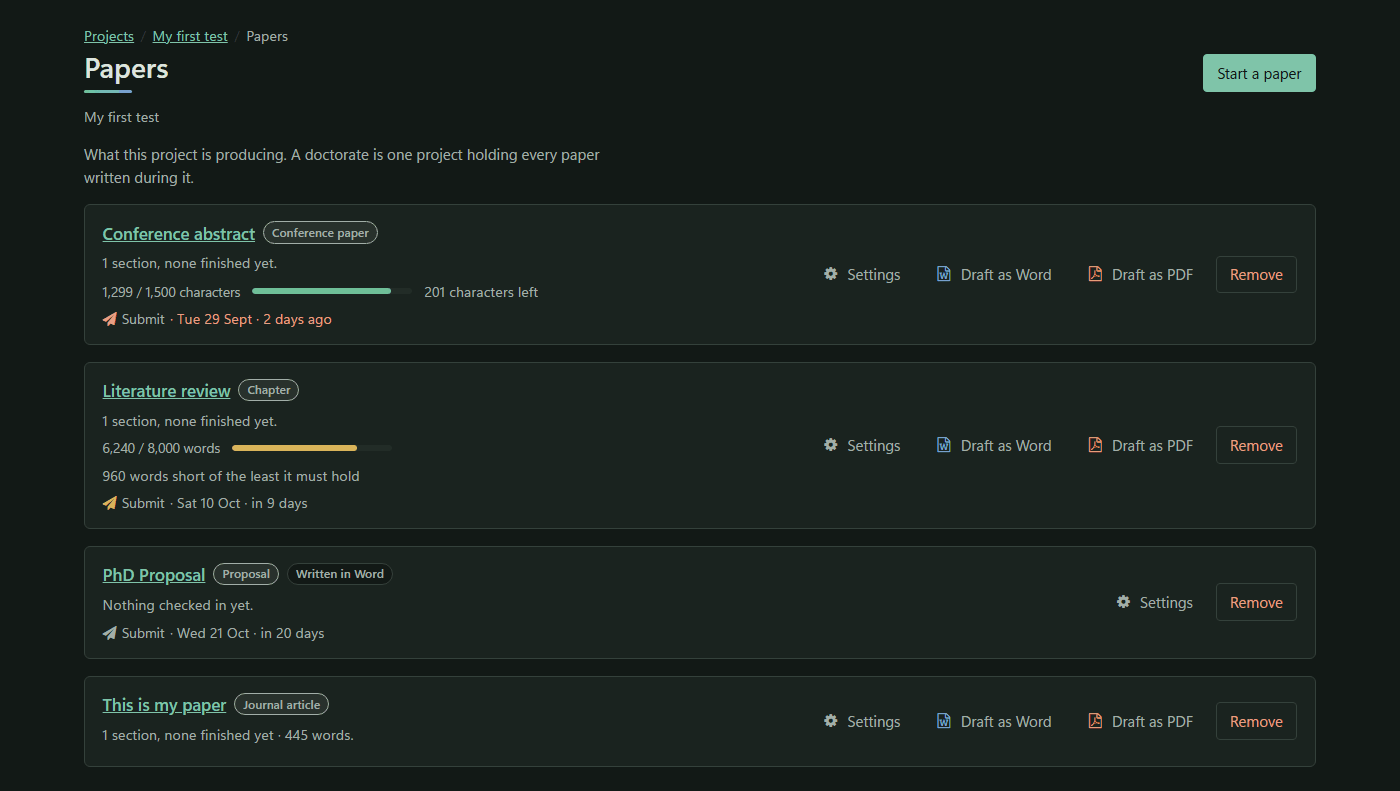
Starting a paper
Press Start a paper, then:
- Give it a Title.
- Choose its Kind: Thesis, Journal article, Conference paper, Report, Chapter, Proposal, Essay or Coursework.
- Choose how it is Written:
- here, a section at a time: you write it in the workbench.
- in Word, and checked in: you write it in Word, and check in a copy each time you send it out. See Versions and review.
- Press Start it.
The way a paper is written cannot be changed afterwards.
Each paper's row shows its progress (such as 3 sections, 1 finished), a length meter if it has a limit, its next deadline and its summary. The row has the buttons Draft as Word, Draft as PDF, Settings and Remove.
The paper page
The header shows the paper's progress, its citation style, its next deadline and, with a limit, its Length of the paper, for example 6,240 / 8,000 words and 1,760 left. Paper settings is at the top right.
A paper written here has three tabs: Write, Read the whole paper and Versions.
Writing, a section at a time
- Sections: press Add to add one, such as Introduction or 2.1 Coding. The arrows move a section up or down (↑ ↓) and make it a level higher or deeper (← →), from level 1 to level 6. Each section shows its words, and Ready when finished.
- The editor is a Markdown editor. It draws diagrams written in Mermaid. Paste or upload pictures (PNG, JPEG, GIF or WebP, up to 8 MB).
- Saving is automatic, three seconds after you stop typing, and whenever you change section or leave the page. The state shows Saving…, Saved 14:32 or Not saved yet.
- Mark as finished marks a section ready. Changing a word in it takes the mark away by itself.
- Cite opens the citation picker. See Citations.
Reading the whole paper
Read the whole paper shows the draft as it stands: a Contents list, any open review comments, the text, and the reference list at the end, written in the paper's style.
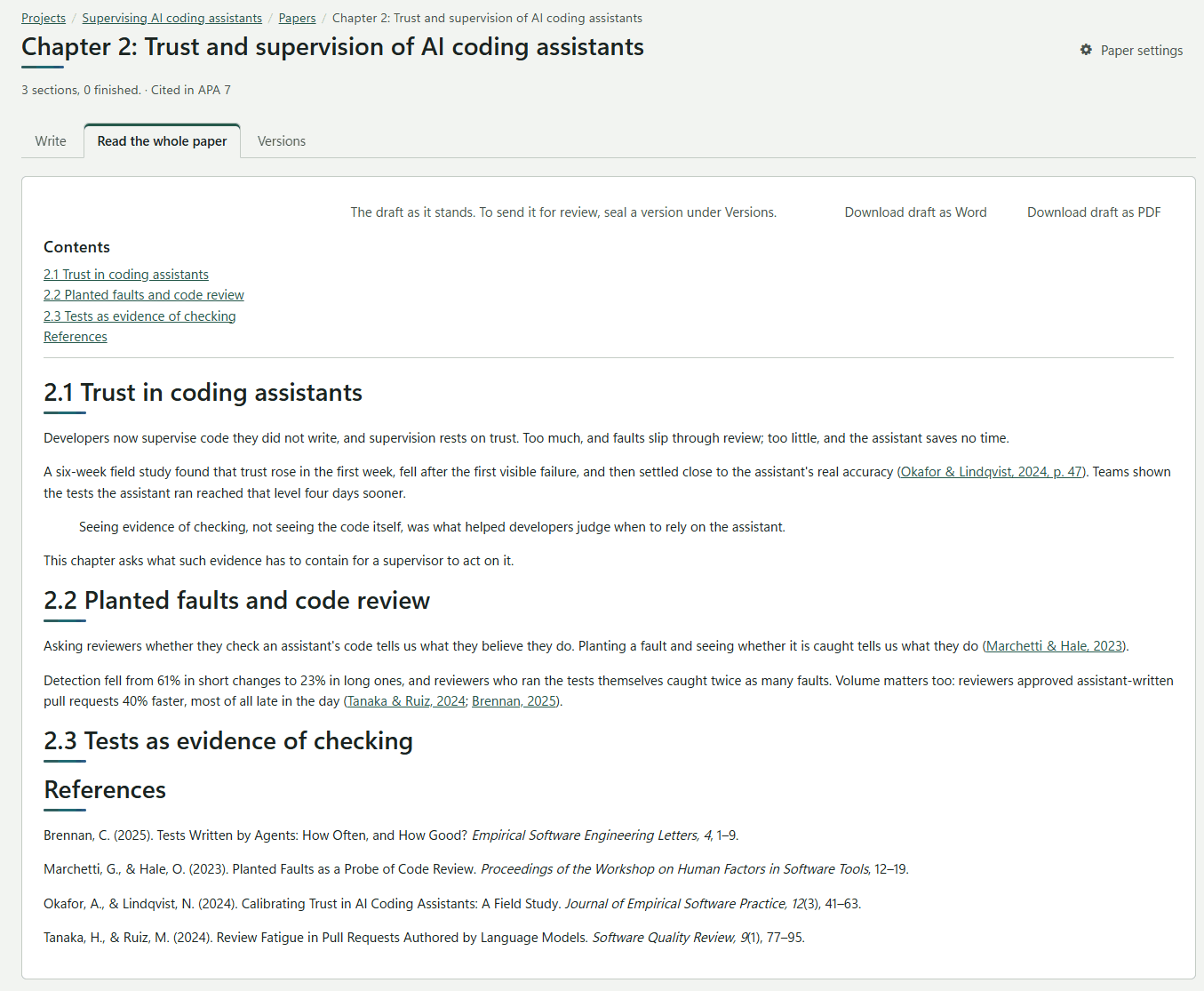
Download draft as Word and Download draft as PDF write it out. A draft is marked inside the file as Draft of 3 October 2026, 14:32, not a sealed version. To send a paper out, seal a version instead.